
-

·
Microsoft Finally Offers To Pay Hackers For Security Bugs With $100,000 Bounty
Link: Forbes: Microsoft Finally Offers to Pay Hackers for Security Bugs Microsoft Finally Offers To Pay Hackers For Security Bugs With $100,000 Bounty
-

·
Introducing The WWPass Developers Blog
Joscor Technical Research and WWPass Developers Blog have partnered to provide you with the latest news and integration paths for WWPass and related security technologies. We will work more closely now to discover new ways to increase end-user data security within their day-to-day lives and to give tutorials on how IT administrators can increase web…
-

·
Speed Up Your Windows PC In 5 Easy Steps
Owning a PC is like owning any other machine in that it requires a little (preventative) maintenance to ensure maximum performance and longevity. By following these 5 easy steps you can add years of life to your computer and avoid countless headaches.
-

·
Smart Card in the Cloud – Emerging Technology
Smart Card as a Service, or Smart Card in the Cloud, is a revolutionary technology that forms a hybrid between physical two-factor authentication tokens and the cloud. The WWPass PassKey is an innovative product taking Smart Cards to the next level. Advantages? Anonymity, resilient and secured token storage, cloud token administration, multi-token clones, etc…!
-

·
Joscor.com Featured in Hakin9.org Magazine
Joscor.com and Hakin9.org have been working closely over the past month on Hakin9 Magazine’s latest “Nmap Guide Revisited – Hakin9 Tutorials” issue. Joscor, and many other authors from companies such as IBM, Microsoft, HP, Qualys and FireEye, have constructed an extremely detailed and comprehensive guide for the Nmap, an invaluable software tool for IT administrators,…
-

·
Flying over Lake Winnipesaukee, New Hampshire
Latest adventure: Flying in a small single-engine over Lake Winnipesaukee, NH. Some great shots from the sky and even some shots of flying over the coast before going to the lake. Even included a few videos to boot.
-

·
Securing SCP with WWPass PassKey
Maximize security by using the WWPass PassKey to perform two-factor authentication into your publicly exposed SSH/SCP servers using WinSCP and Pageant. Never compromise when it comes to security and ditch those legacy username and password combinations.
-
·
Putty SSH “Server refused our key” Fix
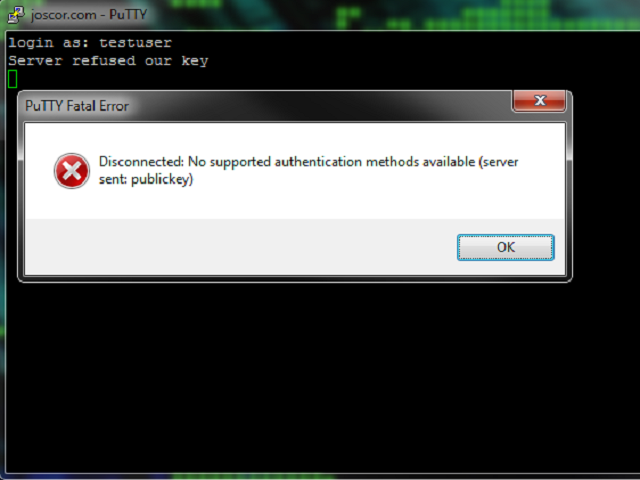
When using Public Key authentication or trying to use SSH with your WWPass PassKey you may find yourself getting an error message Putty Fatal Error stating “Server refused our key” and “Disconnected: No supported authentication methods available (server sent: publickey)” after entering your username. This article will guide you through fixing this issue.
-
·
Bug: Nmap HTTPS 301 Redirect Loop
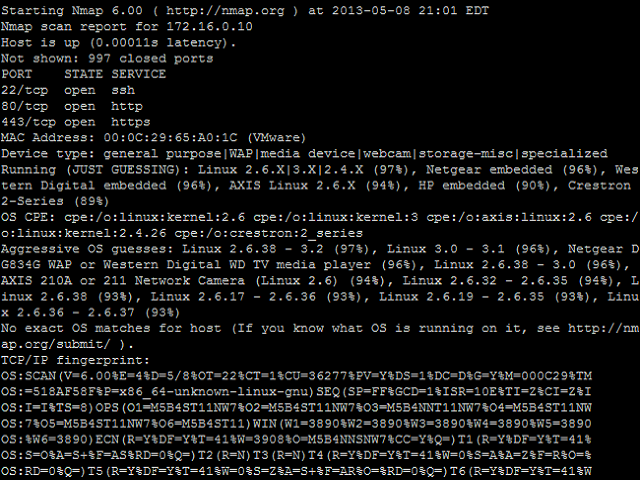
While creating my own Nmap Script Engine (NSE) script using Nmap version 6.25 I stumbled upon a bug in the nselib/http.lua library. This bug is seen when an HTTPS website has some 301 redirect rules which redirects to the same HTTPS site but a different folder/format.
-
·
WWPass PassKey, Cisco SG500-52 Managed Switch integration
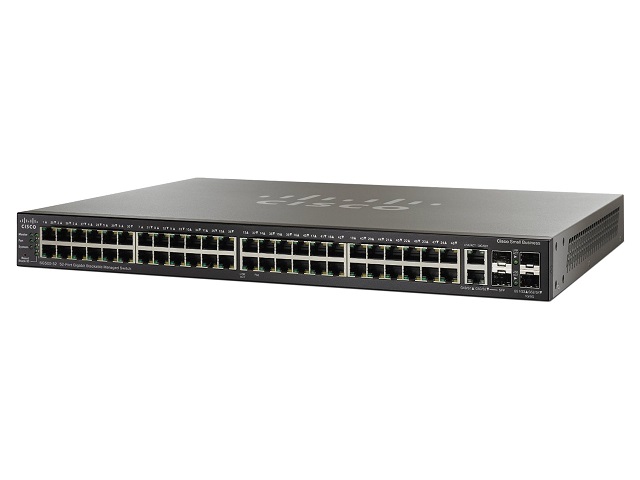
Overview Process Step 1, Generate a PKCS#12 private key and certificate file This step is relatively straight-forward and you can find explanation of this process in another article on this site: Securing OpenSSH with WWPass PassKey . If you already have an OpenSSH server running with a public key in ~/.ssh/authorized_keys you can re-use this…